
.png)
Description
Download FuturiBooks – AI‑Powered Audiobook Creator, Free Demo, Secure Cloud Platform
Overview
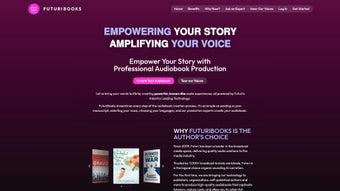
FuturiBooks is a cloud‑native software application that converts written manuscripts into fully produced audiobooks using cutting‑edge artificial‑intelligence models. The platform is built for publishers, educators, and independent authors who want to bypass the time‑consuming, costly, and technically demanding process of traditional studio recording. By simply uploading a text file, choosing a voice and language, and pressing “Generate,” users receive a polished audio file that sounds as if a professional narrator recorded it in a sound‑treated booth. What makes FuturiBooks truly stand out is its voice‑cloning capability: a short 30‑second voice sample can be uploaded, and the AI reproduces that exact vocal timbre for the entire book, preserving the author’s unique brand while still benefiting from automated production. The service also includes intelligent production tools such as automatic pacing, punctuation‑aware intonation, and background‑noise reduction, ensuring a high‑quality final product without manual audio engineering. Because everything runs in the secure cloud, there is no need for heavy local hardware or frequent software updates—just a modern web browser and an internet connection. FuturiBooks also guarantees royalty protection: creators retain 100 % of the revenue generated from their audiobooks, while the platform charges a modest per‑minute processing fee. Whether you are a seasoned publisher looking to scale a catalog or a first‑time author experimenting with audio, FuturiBooks offers a secure, scalable, and user‑friendly solution that democratizes audiobook creation.
Key Features of FuturiBooks
FuturiBooks packs a comprehensive set of AI‑driven tools that make audiobook production fast, flexible, and affordable. The platform’s architecture combines deep‑learning text‑to‑speech engines with cloud‑based rendering pipelines, allowing users to generate high‑quality audio at scale. Below is a curated list of the most valuable features, each designed to address a specific pain point in the publishing workflow.
- AI‑Driven Text‑to‑Speech Engine: Deep‑learning models produce natural, human‑like narration with accurate prosody, emphasis, and emotion.
- Voice Cloning & Customization: Upload a 30‑second voice sample; the system mimics your own voice or any preferred narrator.
- Multi‑Language Support: Generates audiobooks in more than 25 languages, each with region‑specific accents and dialects.
- Extensive Voice Library: Over 150 pre‑built voices ranging from warm female tones to authoritative male narrators.
- Automatic Chapter Detection: AI recognises headings, sub‑headings, and paragraph breaks to insert appropriate pauses.
- Audio Quality Controls: Adjust bitrate, sample rate, and volume normalization to meet distribution platform standards.
- Secure Cloud Processing: TLS 1.3 encryption in transit and AES‑256 at rest; fully GDPR and CCPA compliant.
- Production Support Services: Optional human‑review editing, sound‑effects layering, and metadata tagging for major storefronts.
- Cost‑Effective Pricing Model: Pay‑as‑you‑go per generated minute, with volume discounts for large publishers.
- Royalty Retention: Authors keep 100 % of royalties; FuturiBooks only charges the processing fee.
Installation & Usage Guide
Getting Started – No Download Required
FuturiBooks is a web‑based service, so there is nothing to install on your local machine. The entire workflow runs inside any modern browser (Chrome, Edge, Firefox, Safari) on Windows, macOS, Linux, Android, or iOS. This eliminates compatibility headaches and guarantees you always have the latest AI models without manual updates.
Step‑by‑Step Workflow
- Create an Account: Visit FuturiBooks.com and register with an email address or single‑sign‑on (Google, Microsoft). Confirm your identity via the verification email.
- Upload Your Manuscript: Supported formats include .txt, .docx, .pdf, and .epub. The platform parses the document, extracts headings, and creates a preview of the audio timeline.
- Select a Voice & Language: Browse the voice library or upload a short voice sample for cloning. Choose the language and any regional accent you need.
- Configure Audio Settings: Set desired bitrate (128 kbps or 256 kbps), choose mono or stereo, and enable optional effects such as background music.
- Generate a Sample: Click “Preview” to hear a 30‑second snippet. Fine‑tune pronunciation, speed, and emphasis before committing to full conversion.
- Start Full Production: Press “Generate Audiobook.” The AI processes the text in the cloud; processing time averages 2‑3 minutes per hour of final audio.
- Review & Edit: Download the WAV/MP3 file for a final listen. If you subscribed to the optional human‑review service, a professional editor will return a polished file within 24‑48 hours.
- Publish & Distribute: Export the final audio file with automatically generated metadata (title, author, ISBN, chapter markers) and upload to your preferred distribution channel.
Tips for Optimal Results
- Clean the manuscript of OCR errors; the AI reads exactly what it receives.
- Use consistent heading styles (e.g., Heading 1 for chapters) so the engine can correctly insert pauses.
- If cloning a personal voice, record the sample in a quiet environment with a decent microphone for best fidelity.
- Leverage the “Speech Speed” slider to match the pacing of your target audience—slower for children’s books, faster for business titles.
Supported Platforms: Windows 10/11, macOS 10.15+, Linux distributions with recent browsers, Android 8+ (Chrome), iOS 13+ (Safari). Because the service is web‑based, you can also manage projects from tablets and smartphones.
Pros & Cons – What to Expect from FuturiBooks
Pros
- Fast AI‑driven conversion reduces production time from weeks to minutes.
- Voice cloning preserves author branding and offers a unique selling point.
- Multi‑language and extensive voice library enable global distribution.
- No heavy software installation; works on any device with a browser.
- Secure, GDPR‑compliant cloud processing protects intellectual property.
- Pay‑as‑you‑go pricing keeps upfront costs low, especially for indie authors.
- Full royalty retention ensures creators keep all earnings.
- Optional professional editing service adds a human touch when needed.
Cons
- Internet connection required; offline users cannot access the service.
- Voice cloning may need a high‑quality sample; poor recordings affect output.
- Current AI models may struggle with highly technical jargon without custom dictionaries.
- Large‑scale publishers may still prefer hybrid workflows with in‑house editors for absolute control.
- Pricing per minute can add up for very long audiobooks, though volume discounts exist.
Overall Rating: 4.5/5 – FuturiBooks offers an impressive blend of AI technology, flexibility, and cost efficiency that makes it a top choice for modern audiobook production.
FAQ – Frequently Asked Questions
How does FuturiBooks handle copyright and data security?
All manuscript uploads are encrypted with TLS 1.3 during transfer and stored at rest using AES‑256 encryption. FuturiBooks does not share your content with third parties, and you retain full ownership of the generated audio files. The platform complies with GDPR, CCPA, and other major data‑privacy regulations, ensuring that your intellectual property remains protected.
Can I use FuturiBooks for non‑fiction or technical books?
Yes. While the AI excels with narrative prose, it also supports technical terminology. For best results, you can upload a custom pronunciation dictionary or tag specialized terms in your manuscript using brackets. The system will then apply the correct pronunciation during conversion.
Is there a free trial or demo version?
FuturiBooks offers a 15‑minute free demo that lets you generate a short audio snippet from any uploaded text. This allows you to test voice quality, language options, and pacing before committing to a paid conversion.
How long does it take to produce a 10‑hour audiobook?
Processing time averages 2‑3 minutes per hour of final audio, so a 10‑hour audiobook typically finishes in 20‑30 minutes of cloud rendering. Additional time may be required for optional human review or custom voice cloning, but the overall turnaround remains dramatically faster than traditional studio recording.
What file formats can I export?
FuturiBooks supports MP3, AAC, WAV, and FLAC exports. All files include embedded chapter markers and ID3 metadata, making them ready for upload to Audible, Apple Books, Google Play Books, and other major platforms.
Conclusion – Should You Download FuturiBooks?
FuturiBooks is more than a simple text‑to‑speech converter; it is a complete AI‑powered production studio that lets creators launch audiobooks quickly, affordably, and with a professional finish. The platform’s standout voice‑cloning technology, extensive language library, and secure cloud architecture make it ideal for both indie authors experimenting with audio and established publishers seeking to scale their catalogs. While a reliable internet connection is a prerequisite and very long titles can accumulate processing costs, the benefits—speed, royalty retention, and the ability to maintain a unique authorial voice—far outweigh the minor drawbacks. If you’re ready to transform your manuscripts into engaging audio experiences without the overhead of traditional studio sessions, click the button below to start your free demo and discover how FuturiBooks can elevate your storytelling to a new dimension.
Start Your Free Demo of FuturiBooks TodayGuides & Tutorials for FuturiBooks
How to install FuturiBooks
- Click the Preview / Download button above.
- Once redirected, accept the terms and click Install.
- Wait for the FuturiBooks download to finish on your device.
How to use FuturiBooks
This software is primarily used for its core features described above. Open the app after installation to explore its capabilities.
User Reviews for FuturiBooks 0
No reviews found




